

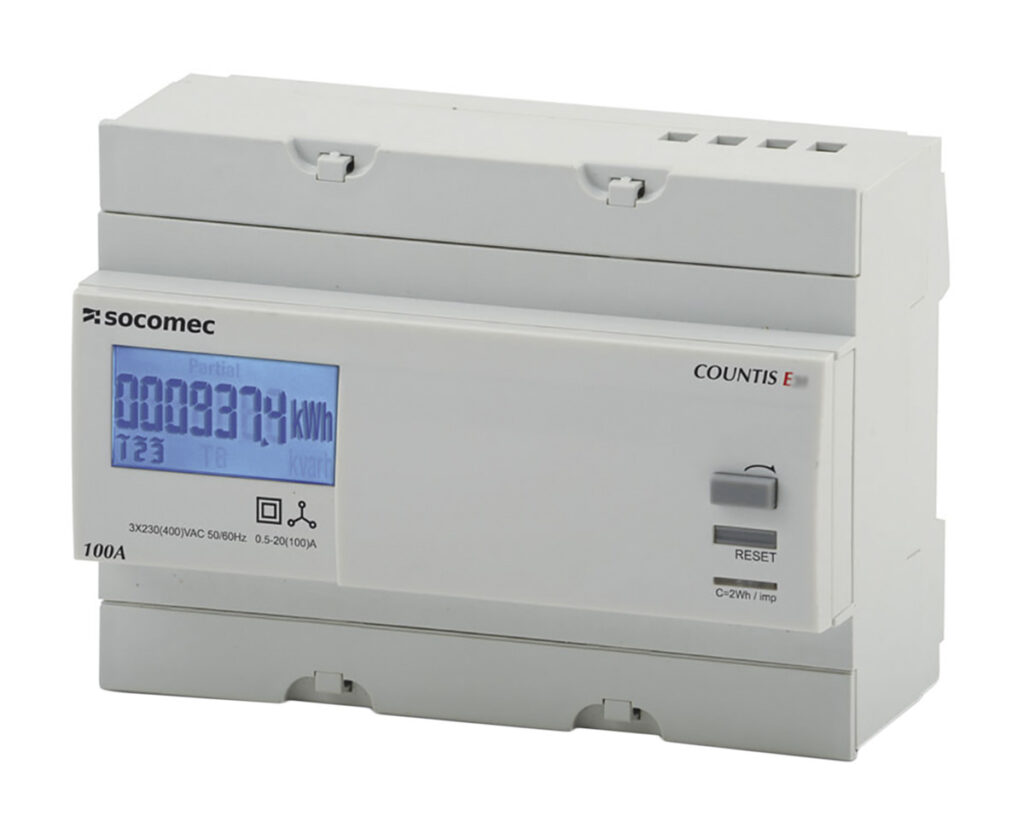
LCD Communication Module: what is it and why use it?
An LCD Communication Module is a display unit with an onboard interface that talks to your microcontrollers or microprocessors through I2C, SPI, or UART. It simplifies wiring and firmware, so teams can move from breadboard proof of concept to production faster.
Because the module wraps driver logic, level shifting, and timing inside one package, your firmware mainly sends characters or graphics while the module manages contrast, timing, and refresh. This leads to fewer bugs, stable visuals, and easier maintenance across product revisions.
How the interfaces differ for cables and connectors
Choosing the right interface affects noise immunity, cable length, and pin count. Plan the harness, connectors, and layout early to avoid rework.
- I2C reduces pin count, supports multiple devices on two wires, and suits compact controllers with tight I/O budgets.
- SPI delivers higher throughput for icons and partial graphics, and is robust on short cables in dense electronics.
- UART is simple, easy to debug with laptops and USB adapters, and travels longer distances with the correct cables.
When selecting connectors, match pitch, locking style, and current rating. Consider keyed housings for safety in field service. Use strain reliefs and grips on handheld devices to protect flex tails from repeated movement.
Power, LEDs, and capacitor choices that prevent flicker
Stable power is essential for crisp characters and clean graphics. The backlight and logic rails share the same source in many modules, so voltage dips can cause ghosting.
- Add bulk capacitors near the module to smooth transients from switches and motors.
- Place a small ceramic capacitor at each power pin to reduce local high frequency noise.
- Use separate supply routing for LEDs when possible, and verify brightness control through PWM or a current driver.
Check the total budget for the 3.3 V or 5 V rails. If multiple sensors and controllers spike together, the LCD may dim or reset. Validate in worst case scenarios such as cold start, heavy I/O toggling, or radio bursts.
Thermal and mechanical design with practical tools
Heat affects contrast and response time. Thermal pads, shields, and airflow planning keep the module within its specified range.
- Keep hot parts like power regulators away from the LCD edge to avoid thermal gradients.
- Add a thin thermal pad to spread heat from nearby components when the enclosure is tight.
- Confirm viewing angle at operating extremes in chambers or with simple thermal tools like heat guns and cool packs.
Use mounting hardware that resists vibration. Isolate the PCB with standoffs and avoid overtightening. A front bezel with soft grips helps handheld units withstand daily use without stressing the display.
EMC, fuses, and safety for industrial controllers
In cabinets with contactors, relays, and drives, electromagnetic noise can corrupt data or cause streaks on the screen.
- Route high current cables away from the LCD ribbon and logic lines.
- Add series resistors or ferrites for I2C and SPI lines, and keep traces short.
- Use a local fuse or resettable protector on the backlight line to prevent damage from wiring faults.
If oils or dust are present, choose modules with sealed bezels and tested ingress ratings. Select switch caps that seat correctly against the panel, and confirm that cleaning agents used in maintenance do not cloud the window.
Interface mapping for microcontrollers and microprocessors
Match the module’s logic level and timing with the host. Read the timing charts, then verify with a scope during bring up.
- Microcontrollers benefit from hardware I2C and SPI with DMA to reduce CPU load.
- Microprocessors often run Linux, so use kernel drivers or user space libraries that match the controller IC of the LCD.
- Calibrate contrast and backlight at boot using stored parameters in nonvolatile memory.
Plan pinouts so that future upgrades to larger displays or touch versions do not require a new board. Keep spare lines for interrupts or brightness control, and select connectors that allow alternative keyed cables.
Firmware patterns that speed up development on laptops
Good abstractions make your code portable across module variants.
- Create a driver layer that exposes print, clear, set cursor, and draw API calls.
- Use a buffer to compose frames, then transmit in bursts over SPI or I2C to reduce bus overhead.
- Add diagnostics that echo status over UART for quick checks with laptops during field service.
Handle common faults gracefully. If the bus stalls, recover by reinitializing the interface. If the LCD reports busy states, back off and retry rather than blocking the main loop that reads sensors or manages switches.
Working with sensors, switches, and controllers in one loop
Displays often share the board with sensors, switches, and LEDs. Time your updates so the user interface feels instant while control loops stay stable.
- Poll sensors at fixed intervals, and refresh only the regions that changed.
- Debounce switches in firmware to avoid flicker when the user navigates menus.
- Use LED indicators for status, and keep the LCD for detail, so operators understand faults at a glance.
If your design includes external controllers or motor drivers, throttle display updates during heavy bus activity. Prioritize safety logic that must react to limits and fuses, then push UI updates when bandwidth is free.
Wiring and layout that reduce support calls
Small layout choices pay off across production and service.
- Keep I2C pull ups near the module, and size them for bus capacitance from long cables.
- Route SPI as a tightly coupled group with consistent impedance and short stubs.
- Label both ends of harnesses, and document the mating sequence for technicians.
Use keyed connectors to avoid reversed plugs. Select latching styles where vibration is common. Seal openings where dust or oils can travel along cables into the enclosure.
Testing checklist before release
A structured validation saves time during pilot runs.
- Screen readability under bright light and low light
- Contrast and backlight settings across thermal extremes
- Noise immunity with contactors operating and motors switching
- Recovery from power dips and brownouts
- Long duration burn in with full backlight and frequent refreshes
Record exact firmware, capacitor values, connector part numbers, and cable lengths. This data becomes the baseline when production or suppliers change.
Procurement and lifecycle planning
Plan for second sources and lifecycle changes early.
- Choose modules with stable controller ICs and documented revisions.
- Confirm availability of matching bezels, cables, and mounting hardware.
- Keep footprints flexible so replacements fit without a new enclosure.
Stock spare backlights, diffusers, and verified connectors to support repairs after warranty. Train technicians to handle LCD surfaces carefully, and keep protective films in place until final assembly.
Conclusion: selecting the right LCD Communication Module
Define the interface, power, and environmental needs first, then match the module to the realities of your product. With correct wiring, capacitors near the rails, and disciplined firmware, an LCD Communication Module becomes a reliable window into sensors, controllers, and system health. Careful attention to cables, connectors, thermal control, and safety gives you a display that survives deployments and keeps users informed without distraction.
